How to Build a SaaS Backend Without Coding: The Complete Guide for Product Managers
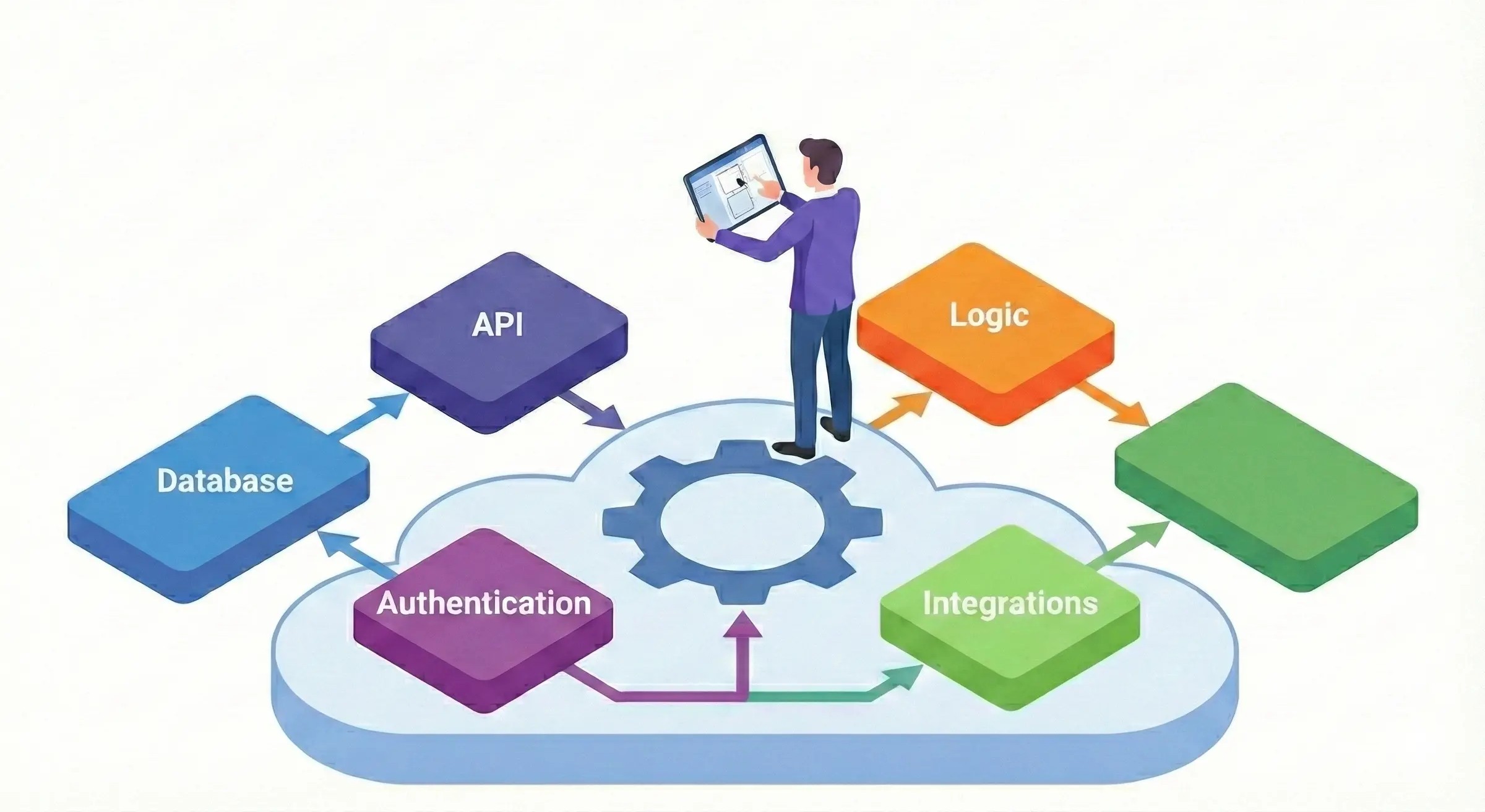

You have the roadmap. You have user research. You have sign-off from leadership. What you don't have is six months of engineering bandwidth to build the backend infrastructure your SaaS product needs.
This scenario plays out daily at growing fintech startups. Engineering teams are stretched thin building customer-facing features while internal tools, operational dashboards, and backend systems sit in the backlog indefinitely.
The traditional path: hire more developers, wait months for custom backend development, pray nothing breaks during compliance audits; no longer makes sense. No-code platforms have matured to the point where product managers can build production-ready SaaS backends without writing a single line of code.
This guide walks through the entire process: from selecting the right platform to designing your database architecture, connecting APIs, and deploying a backend that actually scales.
What we will cover:
The numbers tell the story. Gartner projects that 70% of new enterprise applications will use low-code or no-code technologies by 2025, up from less than 25% in 2020. This shift isn't driven by novelty, but by necessity.
For a product manager at a 50-person fintech startup, the calculus is straightforward. Your engineering team operates under constant pressure. Every sprint involves trade-offs between technical debt, feature development, and infrastructure work. Asking developers to build internal backend systems means pulling them from revenue-generating work.
No-code backend development changes this equation. Instead of waiting quarters for engineering availability, you can prototype, test, and deploy backend systems in days. The feedback loop shrinks from months to hours. Assumptions get validated before significant resources are committed.
The platforms themselves have evolved beyond simple form builders. Modern no-code tools handle complex database relationships, API integrations, authentication flows, and workflow automation. They support the kind of business logic fintech products require: conditional routing, approval chains, compliance checks, and audit logging.
This doesn't mean no-code replaces custom development for everything! Complex algorithmic trading systems or real-time payment processing still require specialized engineering. But for the operational backbone of most SaaS products: user management, data pipelines, reporting dashboards, partner portals; no-code platforms deliver production-quality results.
Before selecting tools, clarify what your backend must accomplish. SaaS backends typically handle four core functions:
Map your specific requirements against these categories. Which databases will your backend connect to? What external APIs must it integrate with? How complex are your permission structures? The answers inform which no-code platform fits your needs.
The no-code market has fragmented into specialized tools. Some excel at database management, others at workflow automation, still others at API creation. Selecting the right platform requires matching capabilities to your specific use case.
When assessing platforms for fintech backends, prioritize:
Database design determines whether your backend scales gracefully or collapses under complexity. No-code platforms simplify implementation but don't eliminate the need for thoughtful architecture.
Start by identifying your core entities. For a typical SaaS product, these might include users, organizations, subscriptions, and domain-specific objects like transactions, documents, or projects.
Define relationships between entities clearly. Users belong to Organizations. Organizations have Subscriptions. Transactions reference Users and include metadata about the operation. Most no-code platforms support one-to-many and many-to-many relationships through linked fields or junction tables.
Resist the temptation to create a single massive table holding all data. This approach works for prototypes but creates performance problems and maintenance headaches at scale. Normalize your data into logical groupings that can be queried efficiently.
Consider how data volumes will evolve. A customer database with 100 records behaves differently than one with 100,000. Query performance, storage costs, and backup complexity all scale with data volume.
Build in fields for tracking changes: created timestamps, modification timestamps, and user attribution for audit purposes. These fields support compliance requirements and help debug issues when they arise.
Design your schema to accommodate likely future needs. Adding a new field later is straightforward. Restructuring relationships between existing tables with live data is painful. Anticipate expansion paths even if you're not implementing them immediately.
No-code platforms vary in their validation capabilities. At minimum, define required fields, data types, and format constraints. Email fields should validate email format. Phone numbers should match expected patterns. Numeric fields should reject text input.
For fintech applications, validation extends to business rules. Transaction amounts might have maximum limits. Status fields might only allow specific transitions. Build these constraints into your data layer rather than relying on frontend validation alone.
Modern SaaS products rarely operate in isolation. Your backend must communicate with payment processors, identity verification services, communication platforms, and analytics tools. No-code platforms provide several approaches to these integrations.
Most platforms offer pre-built connectors for popular services. Stripe for payments, Twilio for messaging, SendGrid for email. These integrations typically require only authentication credentials and basic configuration.
Native integrations handle the complexity of API communication, data transformation, and error handling. They're the fastest path to working connections but offer limited customization. If the built-in integration doesn't support a specific endpoint or parameter you need, you may hit constraints.
Audit the available native integrations before selecting a platform. Check version currency: some integrations lag behind API updates from the service provider. Review documentation to understand exactly what functionality is exposed.
Webhooks enable real-time communication between services. When an event occurs in an external system: a payment succeeds, a document is signed, a user completes verification; that system sends a notification to your backend.
No-code platforms typically receive webhooks through dedicated endpoints. Your backend processes incoming data, updates relevant records, and triggers downstream actions. This pattern works well for event-driven architectures where you need to respond to external state changes.
Configure webhook endpoints with proper authentication. Many platforms support signature verification to confirm incoming requests originate from legitimate sources. For fintech applications handling sensitive data, this security layer is essential.
When native integrations don't exist, no-code platforms allow custom API calls. You configure the endpoint URL, authentication method, request parameters, and response mapping. The platform handles HTTP communication while you focus on data structure.
Custom connections require more setup but offer complete flexibility. Any service with a documented API becomes accessible. This capability proves valuable for niche integrations or internal APIs at your organization.
Document your custom integrations thoroughly. Include authentication details, expected request/response formats, and error handling procedures. When something breaks at 2 AM during a product launch, clear documentation saves hours of debugging.
Workflows transform static data storage into active systems that respond to events and enforce business processes. For fintech applications, workflows handle compliance checks, approval routing, notification delivery, and scheduled operations.
Event triggers respond to data changes. When a new record is created, when a field value updates, when a status changes; these events can initiate automated sequences.
Consider a customer onboarding workflow. When a new user record is created, the workflow might:
Each step executes automatically based on the initial trigger.
Map your business processes before building workflows. Identify the triggering events, the sequence of actions, the decision points, and the end states. Visual workflow builders make implementation straightforward once the logic is clear.
Scheduled workflows run at specified intervals regardless of user activity. Daily reports, weekly cleanup tasks, monthly billing cycles, etc. These operations keep your system healthy and your data current.
For fintech backends, scheduled workflows often handle compliance reporting, audit log rotation, and data archival. Define schedules that align with business requirements while considering system load. Heavy operations should run during off-peak hours.
Real business processes involve decisions. If a transaction exceeds a threshold, escalate for manual review. If a user belongs to a certain tier, apply different pricing. If verification fails, route to a remediation queue.
No-code platforms express conditional logic through visual branching. You define conditions using field values, calculations, or external data. Different branches execute different action sequences based on evaluation results.
Test conditional workflows thoroughly. Edge cases: empty fields, unexpected values, simultaneous triggers; often expose logic gaps that aren't apparent during normal operation. Build test scenarios that stress your conditions before deploying to production.
Security architecture deserves particular attention for fintech applications. Your backend must authenticate users reliably and enforce appropriate access restrictions without creating friction that drives users away.
No-code platforms typically support multiple authentication approaches. Email and password remains common, though increasingly supplemented by social login options and enterprise SSO integrations.
For fintech products, consider multi-factor authentication requirements. Regulatory guidance often mandates MFA for accessing sensitive financial data. Verify that your platform supports the MFA methods your compliance team requires: SMS codes, authenticator apps, hardware keys.
Session management affects user experience and security. Define session timeout policies that balance convenience against risk. Implement secure session handling with proper token rotation and invalidation on logout.
Design your permission structure before implementation. Identify the roles that exist within your product: administrators, team members, read-only viewers, external partners. Map which data and actions each role should access.
No-code platforms implement permissions at various levels. Record-level permissions control access to individual data objects. Field-level permissions hide sensitive information from users who shouldn't see it. Action-level permissions determine who can perform specific operations.
For multi-tenant SaaS products, ensure proper data isolation between organizations. Users should never see data belonging to other customers, regardless of how they navigate the application or construct queries.
Financial services face regulatory requirements around data access logging. Your backend must record who accessed what information and when. These logs support compliance audits and incident investigations.
Configure logging to capture authentication events, data access patterns, and administrative actions. Store logs securely with appropriate retention periods. Ensure logs themselves can't be tampered with by users whose actions they record.
Building a backend is only valuable if it works reliably in production. Testing and deployment practices determine whether your system performs under real-world conditions.
Functional testing verifies that individual features work as designed. Create test cases for each workflow, each API endpoint, each permission rule. Execute tests systematically rather than clicking around randomly.
Integration testing confirms that connected systems communicate correctly. Test webhook reception from external services. Verify that API calls return expected data. Check that data flows correctly between your backend and frontend applications.
Load testing reveals performance limits. How does your backend respond when 100 users access it simultaneously? What about 1,000? Identify bottlenecks before users encounter them. Most no-code platforms offer monitoring tools that help diagnose performance issues.
Never test in production. Set up staging environments that mirror your production configuration. Deploy changes to staging first, verify they work correctly, then promote to production.
Some no-code platforms offer built-in environment management. Others require manual duplication of configurations. Either way, maintain separation between development, staging, and production instances.
Document your deployment process step by step. Include verification checks at each stage. If something goes wrong, have a rollback plan ready: how do you revert to the previous working state quickly?
For critical fintech applications, consider blue-green deployment patterns where possible. Run the new version alongside the old, shift traffic gradually, and maintain the ability to redirect users back if issues emerge.
Deployment isn't the finish line. Production backends require ongoing attention to remain healthy and performant.
Track response times, error rates, and resource utilization continuously. Set up alerts for anomalies: sudden spikes in errors, degraded performance, unusual access patterns.
Most no-code platforms provide dashboards showing key metrics. Supplement platform monitoring with external tools if needed. Services like PostHog add user behavior analytics that help identify issues before users report them.
Schedule time for routine maintenance. Review logs for errors that might indicate emerging problems. Clean up unused data that accumulates over time. Update integrations when external services release new versions.
Security maintenance deserves particular attention. Review access permissions periodically to ensure they match current organizational structure. Remove access for departed team members promptly. Audit API keys and revoke any that are no longer needed.
Your backend will evolve as your product grows. Gather feedback from users about pain points and missing capabilities. Monitor support requests for patterns that indicate backend issues.
Plan enhancement cycles deliberately. Maintain a backlog of improvements, prioritize based on impact, and implement changes thoughtfully. Even with no-code platforms, rushed changes introduce bugs. Treat your backend with the same rigor you'd apply to customer-facing code.
Teams building their first no-code backend often encounter predictable challenges. Learning from others' mistakes accelerates your path to success.
Over-engineering the initial version delays launch without adding value. Build the minimum viable backend that supports your immediate needs. Add sophistication iteratively based on real usage patterns rather than anticipated requirements that may never materialize.
Underestimating data migration complexity causes problems when moving from prototypes to production or switching between platforms. Plan migration paths early. Ensure your data can be exported in standard formats. Test migration procedures before you depend on them.
Ignoring security until later creates technical debt that's expensive to remediate. Build authentication, authorization, and audit logging into your initial architecture. Retrofitting security onto an existing system is far harder than including it from the start.
Choosing platforms based on marketing rather than evaluation leads to painful platform switches mid-project. Run actual tests with your specific use cases. Build small proof-of-concept applications before committing to major initiatives.
Neglecting documentation makes maintenance difficult as team composition changes. Document your data model, your workflows, your integration configurations. Future you (or your successor) will appreciate the investment.
Theory matters less than action. Here's a practical path from reading this guide to running a working backend.
Day 1-2: Requirements clarification
Write down exactly what your backend needs to do. List the data entities, the external integrations, the user roles, the key workflows. Be specific enough that someone else could understand your requirements without additional explanation.
Day 3: Platform selection
Based on your requirements, select the no-code platform that fits best. Sign up for a trial account and explore the interface. Watch tutorial videos to understand the development paradigm.
Day 4-5: Database and basic functionality
Create your data model. Define the core tables and relationships. Build a simple interface that lets you create, read, update, and delete records manually. Verify that data persistence works correctly.
Day 6: Integrations and workflows
Connect one external service. Build one automated workflow. These exercises reveal how the platform handles real-world complexity. Note any limitations or surprises.
Day 7: Review and plan
Assess what you've built. Does the platform meet your needs? What would you do differently? Plan next steps for expanding toward a production-ready system.
The goal isn't perfection in a week. It's building enough hands-on experience to make informed decisions about your backend architecture and platform choice.
Building a SaaS backend without coding is no longer a compromise, it's a strategic advantage. For product managers at growing fintech startups, no-code development means shipping faster, iterating more frequently, and freeing engineering resources for differentiated work.
The platforms have matured. The security features exist. The integration capabilities cover most common needs. What remains is execution: selecting the right tools, designing thoughtful architectures, and building with the same rigor you'd apply to any production system.
Your backend doesn't need to wait in the engineering backlog. Start building this week.
Ready to build your SaaS backend without coding? Blitz combines database management, workflow automation, and interface building in a single platform designed for fintech teams. Request beta access and start building today.


.png)

